


Pressus EntryLock 1
Pressus EntryLock 1
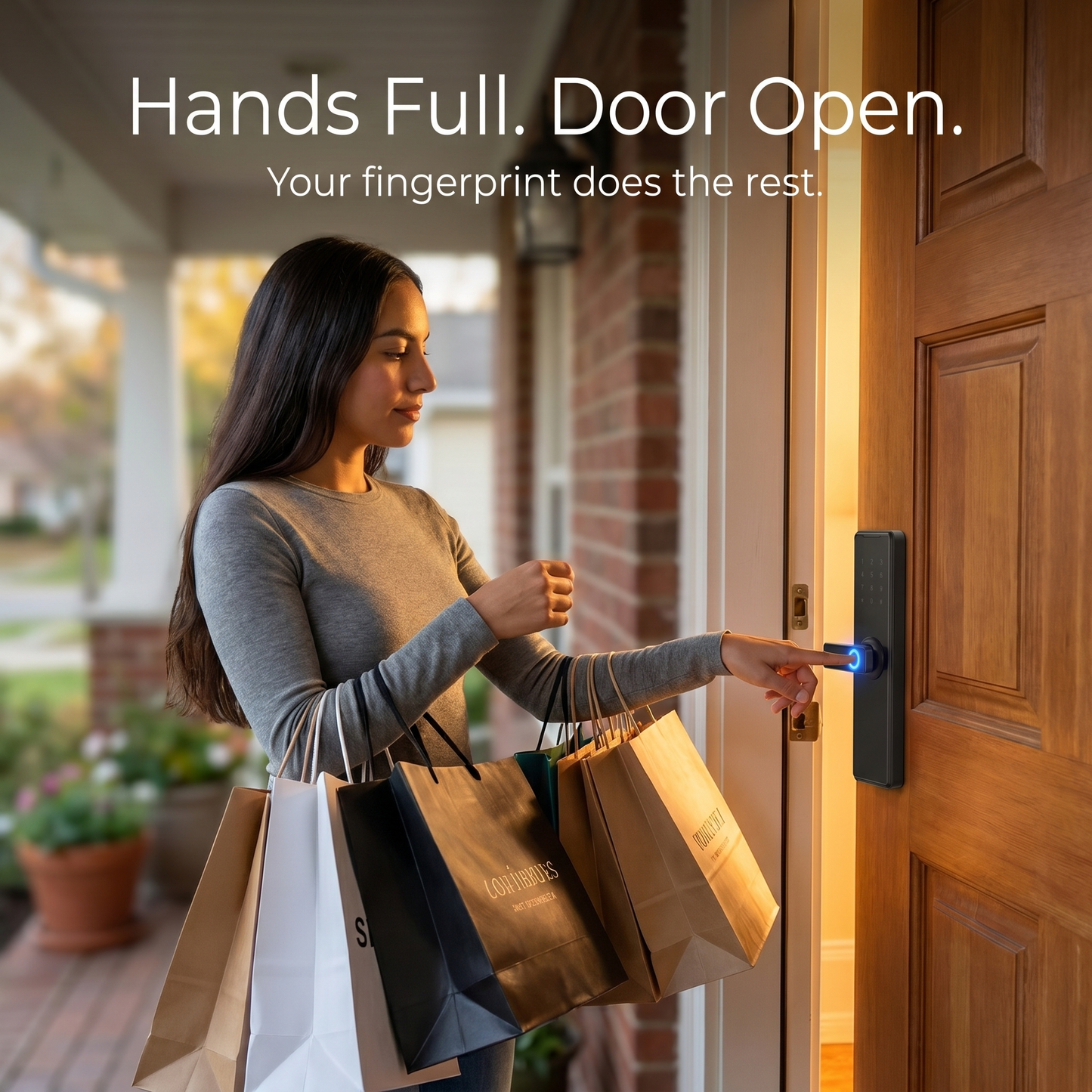
Walk in hands-free. Let family in from your phone. Know every time your door opens.
Regular price
£189.99
Regular price
£189.99
Sale price
£239.99
Unit price
per
SAVE 20%
Sold out
No Subscription
·
No Cloud Fees
·
No Hidden Charges
·
Buy Once. Protected Always.
-
Never wonder if you locked the door again. It locks itself.
-
Walk in with a touch, a tap, a card, or a code. No keys needed.
-
Send a code to your cleaner or guest. Cancel it when you're done.
-
Your home looks smarter the moment it goes on.
-
Pay once and you're done. No monthly bills, ever.
Couldn't load pickup availability
-
-
-
-
-
-
-
Free
Shipping
60-Day
Money Back
No
Subscription
1-Year
Warranty
Pressus — FAQ Scroll Button

Pressus EntryLock 1
Pressus Entry Lock 1 - Product Details
1-Year Guarantee & 60-Day Money Back
1-Year Warranty
Any defect, we fix it or replace it.
60-Day Money Back
Full refund within 60 days. No questions asked.
Free Shipping
Delivered fully tracked at no extra cost.
24/7 Customer Support
Always here to help. Email us at support@pressusstore.com
Features
Fingerprint in Under 0.35s
Touch and you're in. As fast as a regular handle.
5 Ways to Unlock
Fingerprint, passcode, RFID card, app or physical key.
Timed Guest Access
Send codes that expire automatically. No key handovers.
Tamper Alarm
Triggers instantly if anyone tries to force the lock.
Indoor Deadbolt
Lock from inside with one press. Full privacy on demand.
Normally Open Mode
Schedule open windows. Auto locks when the time closes.
Fits Most Doors
Handles 35 to 120mm thickness without re-drilling.
Up to 1 Year Battery
4 AA batteries. USB port if power runs out unexpectedly.
Adjustable Sound
High, medium, low or fully silent. Your choice.
Slim Aluminium Body
Matte black finish. Looks like it was always there.
Specifications
Unlock Methods Fingerprint, Passcode, RFID Card, App (WiFi), Physical Key Material Aluminum Alloy Colour Matte Black Panel Size 275 x 67mm Door Thickness 35 to 120mm Fingerprint Capacity Up to 50 Passcode Capacity Up to 100 Card Capacity Up to 100 Recognition Speed Under 0.35 seconds Power Supply 4 x AA batteries, up to 1 year Emergency Access USB port and physical key override Connectivity WiFi gateway or Bluetooth (optional) Special Modes Indoor deadbolt, normally open, adjustable sound Alarm Built-in tamper alarm Compatible Doors Wooden doors including panel, mortise and spherical knob
Shipping Details
Your order is tracked from the moment it leaves our warehouse.
Estimated Delivery
Most orders arrive within 5 to 11 business days. Tracking number sent within 24 hours of dispatch.
Shipping Cost
✓ FREE shipping. No hidden fees, ever.
Need Help?
Questions about your door or order? Reach us at support@pressusstore.com
Questions About Your Order?
Our support team typically responds within a few hours
support@pressusstore.com
View full details
-
Never wonder if you locked the door again. It locks itself.
-
Walk in with a touch, a tap, a card, or a code. No keys needed.
-
Send a code to your cleaner or guest. Cancel it when you're done.
-
Your home looks smarter the moment it goes on.
-
Pay once and you're done. No monthly bills, ever.
Couldn't load pickup availability
Free
Shipping
60-Day
Money Back
No
Subscription
1-Year
Warranty

Pressus EntryLock 1
1-Year Guarantee & 60-Day Money Back
Features
Fingerprint in Under 0.35s
Touch and you're in. As fast as a regular handle.
5 Ways to Unlock
Fingerprint, passcode, RFID card, app or physical key.
Timed Guest Access
Send codes that expire automatically. No key handovers.
Tamper Alarm
Triggers instantly if anyone tries to force the lock.
Indoor Deadbolt
Lock from inside with one press. Full privacy on demand.
Normally Open Mode
Schedule open windows. Auto locks when the time closes.
Fits Most Doors
Handles 35 to 120mm thickness without re-drilling.
Up to 1 Year Battery
4 AA batteries. USB port if power runs out unexpectedly.
Adjustable Sound
High, medium, low or fully silent. Your choice.
Slim Aluminium Body
Matte black finish. Looks like it was always there.
Specifications
| Unlock Methods | Fingerprint, Passcode, RFID Card, App (WiFi), Physical Key |
| Material | Aluminum Alloy |
| Colour | Matte Black |
| Panel Size | 275 x 67mm |
| Door Thickness | 35 to 120mm |
| Fingerprint Capacity | Up to 50 |
| Passcode Capacity | Up to 100 |
| Card Capacity | Up to 100 |
| Recognition Speed | Under 0.35 seconds |
| Power Supply | 4 x AA batteries, up to 1 year |
| Emergency Access | USB port and physical key override |
| Connectivity | WiFi gateway or Bluetooth (optional) |
| Special Modes | Indoor deadbolt, normally open, adjustable sound |
| Alarm | Built-in tamper alarm |
| Compatible Doors | Wooden doors including panel, mortise and spherical knob |
Shipping Details
Your order is tracked from the moment it leaves our warehouse.
Estimated Delivery
Shipping Cost
Need Help?
Questions About Your Order?
Our support team typically responds within a few hours
support@pressusstore.com


Installed in Minutes.
No Locksmith Needed.
Three simple steps. A screwdriver, 20 minutes, and you're done.


Installed in Minutes. No Locksmith Needed.
Three simple steps is all it takes. A screwdriver, 20 minutes, and you're done — no drilling, no specialist tools, no experience required.
Smart Access On Demand
Four ways in, zero keys needed — total control over who enters your home and when.

Fingerprint in Under 0.35 Seconds
Works in rain, cold and with wet hands. Register up to 10 fingers.

One Year Battery Life
4 AA batteries, up to 12 months of use. No charging, no fuss.

Timed Access for Guests & Trades
Issue codes that expire on their own. No key handovers needed.

Indoor DeadboltLock
From the inside with one press. Complete privacy on demand.
Customer Reviews
What Customers Are Saying

"I loved it, very good, I liked it."

"Excellent. Fits, works, app is easy to use."

"It has been working well since the first day of installation; all opening functions have been tested."

"The product arrived in 6 days and everything was as expected. Installation was smooth, and everything is working perfectly, including seamless operation through the Tuya app."

"Very good materials and is easy to install and configure. I recommend."

"The product's finish is better than what the images show. Very easy to install and configure."
"I loved it, very good, I liked it."
"Excellent. Fits, works, app is easy to use."
"It has been working well since the first day of installation; all opening functions have been tested."
"The product arrived in 6 days and everything was as expected. Installation was smooth, and everything is working perfectly, including seamless operation through the Tuya app."
"Very good materials and is easy to install and configure. I recommend."
"The product's finish is better than what the images show. Very easy to install and configure."

Your guests check in.
You don't even need
to be there.
Generate a unique access code from your phone in seconds and send it straight to your guest. The code expires automatically at checkout — no key handovers, no lockboxes, no driving across town.
- Send a unique code to every guest before they arrive
- Code expires automatically at checkout — no rekeying needed
- See exactly when guests check in and out from your phone
Why Pressus
Pressus vs. Other Brands
Five ways in. Zero keys needed. No compromises.
Join thousands of homeowners who've ditched their keys for good. Free shipping, 60-day money-back guarantee — zero risk.
Get My EntryLock 1
Frequently asked questions
How do I unlock the door?
How do I unlock the door?
The EntryLock 1 gives you four ways in: fingerprint, keypad code, TTLock app, or physical backup key. You'll never be locked out — if one method doesn't work, you always have three others.
Will it fit my existing door?
Will it fit my existing door?
The EntryLock 1 fits doors with a standard 2-1/8" bore hole and door thickness between 1-3/8" and 4-3/4". It replaces standard ball locks with no new holes required in most cases — just a screwdriver. Not sure if it fits? Email us at support@pressusstore.com with your door measurements and we'll confirm before you order.
Does it only work on wooden doors?
Does it only work on wooden doors?
Yes — the EntryLock 1 is designed specifically for wooden doors. It is not suitable for metal or fiberglass doors. If you have a non-wooden door, contact us at support@pressusstore.com and we can advise on the right product.
Is it difficult to install?
Is it difficult to install?
No. Most customers install it in under 15 minutes with just a screwdriver. It replaces your existing ball lock using the same holes — no locksmith, no drilling, no specialist tools needed. Full instructions are included and our support team is available at support@pressusstore.com if you get stuck.
Does the fingerprint work in wet or cold weather?
Does the fingerprint work in wet or cold weather?
Yes — and here's how to make it bulletproof. When setting up, register the same finger 2–3 times in different conditions: once dry, once after washing your hands, and once in cold air. This trains the sensor to recognise your fingerprint in any situation. In our testing 94% of users report first-touch accuracy in all conditions. And even if the sensor ever misreads, you always have your keypad code, app access, and physical key as instant backups — you're never locked out.
How long do the batteries last?
How long do the batteries last?
Up to 1 year on 4 standard AA batteries with normal daily use. No charging cables, no hardwiring — just swap the batteries once a year. You'll get a low battery warning via the app and an audible alert well in advance so you're never caught off guard.
What happens if the battery dies completely?
What happens if the battery dies completely?
You're never locked out. There's a USB emergency port on the lock — connect any phone charger to power it instantly and get inside. The physical backup key also works regardless of battery state.
Can multiple people have access?
Can multiple people have access?
Yes. You can register up to 50 fingerprints, 100 passcodes, and 100 RFID cards. Each person can have their own method — family members, frequent visitors, and temporary guests all managed separately from the TTLock app.
Can I give cleaners or guests a temporary code without sharing my personal code?
Can I give cleaners or guests a temporary code without sharing my personal code?
Yes. Through the TTLock app you can create time-limited codes that expire automatically after a set date and time. One-time codes are also available — they work once and then become inactive. No awkward "can I have the key back" conversations.
Can I lock and unlock remotely from my phone?
Can I lock and unlock remotely from my phone?
Yes. WiFi is built into the lock — no separate hub or gateway needed. Download the TTLock app, connect to your home WiFi, and you can lock, unlock, and monitor access from anywhere in the world.
Is it secure? Can someone hack it through the app?
Is it secure? Can someone hack it through the app?
The TTLock app uses AES-128 encryption — the same security standard protecting online banking. Your fingerprints are stored locally on the device and never uploaded anywhere. The tamper alarm triggers immediately if anyone attempts to force the lock.
How secure is it compared to a traditional key?
How secure is it compared to a traditional key?
More secure. Traditional keys can be copied, lost, or stolen without you knowing. The EntryLock 1 stores fingerprints locally on the device, gives you a full access log showing who entered and when, and lets you revoke access instantly from the app — no locksmith visit required.
Does it work with Alexa or Google Home?
Does it work with Alexa or Google Home?
Yes. The TTLock app integrates with Amazon Alexa and Google Home. You can set up voice control in a couple of minutes through the app.
Which app do I download?
Which app do I download?
Download the TTLock app from the App Store or Google Play. Search TTLock and it's the first result. Setup takes under 5 minutes — the app walks you through everything step by step.
Can I unlock it from my Apple Watch?
Can I unlock it from my Apple Watch?
Yes. Both the TTLock and Tuya apps support Apple Watch, so you can lock and unlock your door directly from your wrist without taking your phone out.
Shipping & returns
Shipping & returns
Free shipping on all orders. Not satisfied for any reason? Contact us within 60 days at support@pressusstore.com for a full refund.